In a surprise move tonight TiVo began rolling out a new software version for the TiVo Premiere family (Premiere, Premiere XL, and Premiere Elite), jumping all the way from version 14.9.2 to 20.2! While I’m sure the new version includes performance improvements and bug fixes under the covers, the big changes are to the UI – and there are several. Margret Schmidt, TiVo’s Vice President, User Experience, has been teasing followers on Twitter with images of some of the screens uploaded to TwitPic. As of this writing she’s uploaded six images, which I grabbed and included in the gallery below.
The TiVo Premiere Elite I have for review was flagged to be one of the first units to receive the update, and I forced a call and a reboot to install it a couple of hours ago. This update does take a while to install. I didn’t time it, but it took at least half and hour to complete.
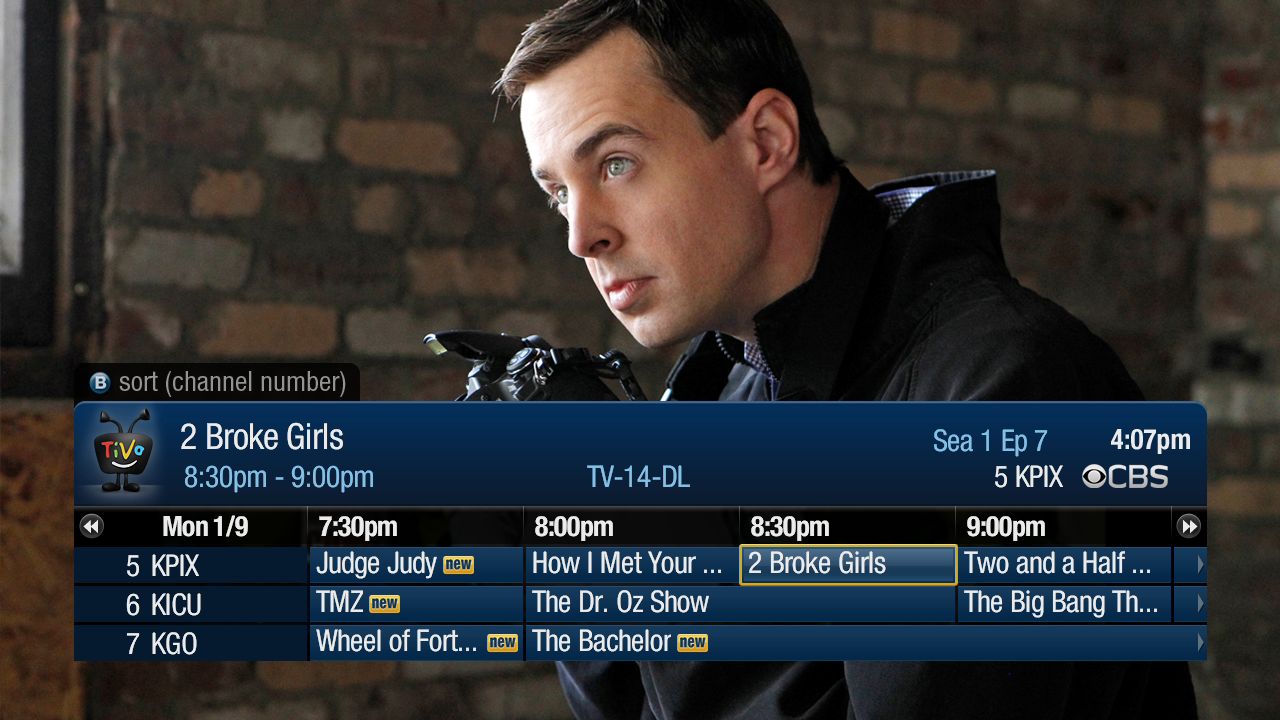
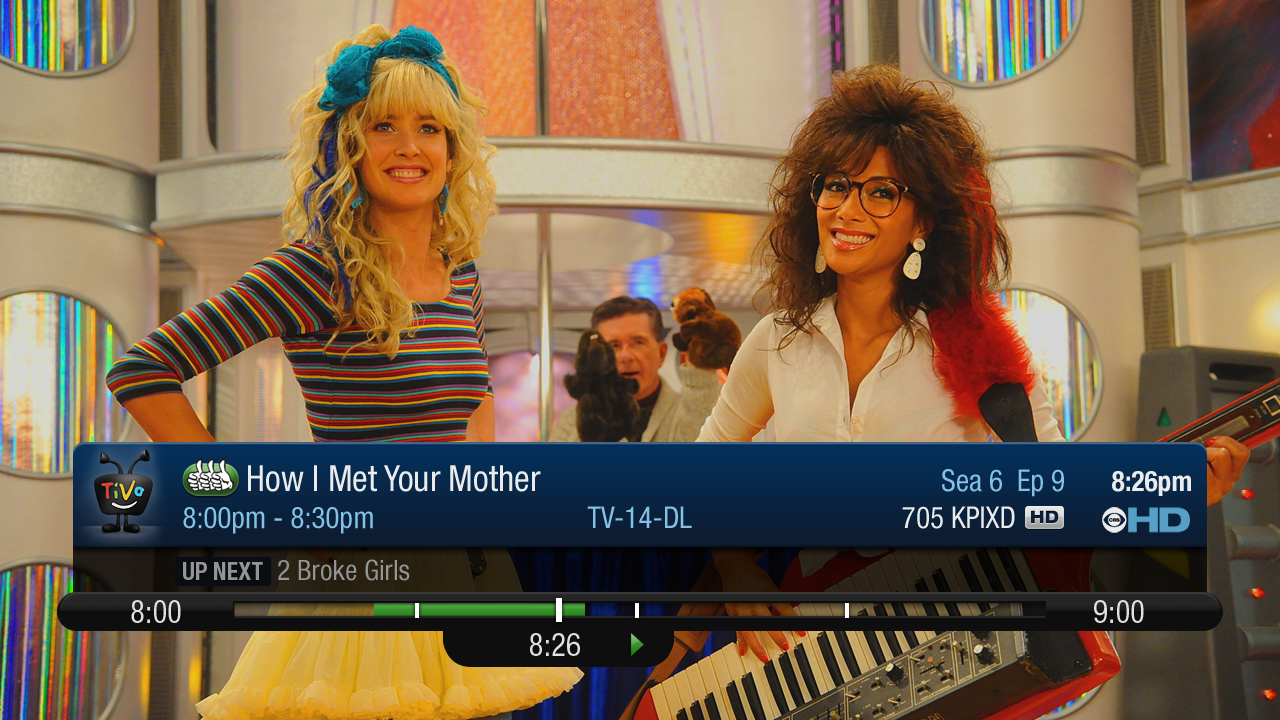
I’ve been playing with it to get a feel before making this post, and overall I have to say it is a nice improvement. It will take some getting used to since some of the UI behaviors changed. For example, with the old Info Banner at the top of the screen you could press ‘Right’ to toggle through three different sizes. With the new, smaller Info Banner, which appears just over the playback back that is no longer the case.
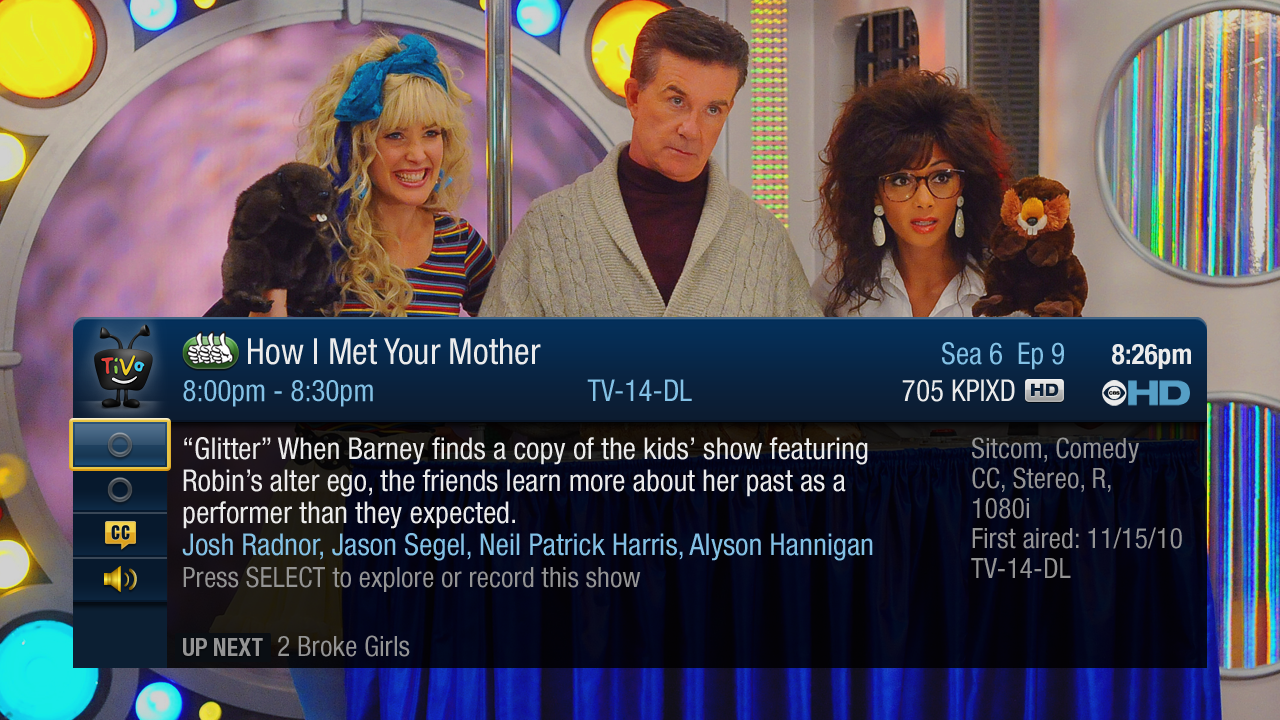
In fact, the small version of the banner only seems to appear when you first enter a video or Live TV, or change the channel. Pressing ‘Right’ or ‘Info’ calls up a medium sized banner that takes up about half of the screen and includes four ‘tabs’ on the left – the first showing the current program info, the second a listing on what is on each tuner (all four tuners on the Elite) and allowing you to jump to another tuner, the third controls closed captions, and the fourth the audio track. These options used to be on the right of the old banner.
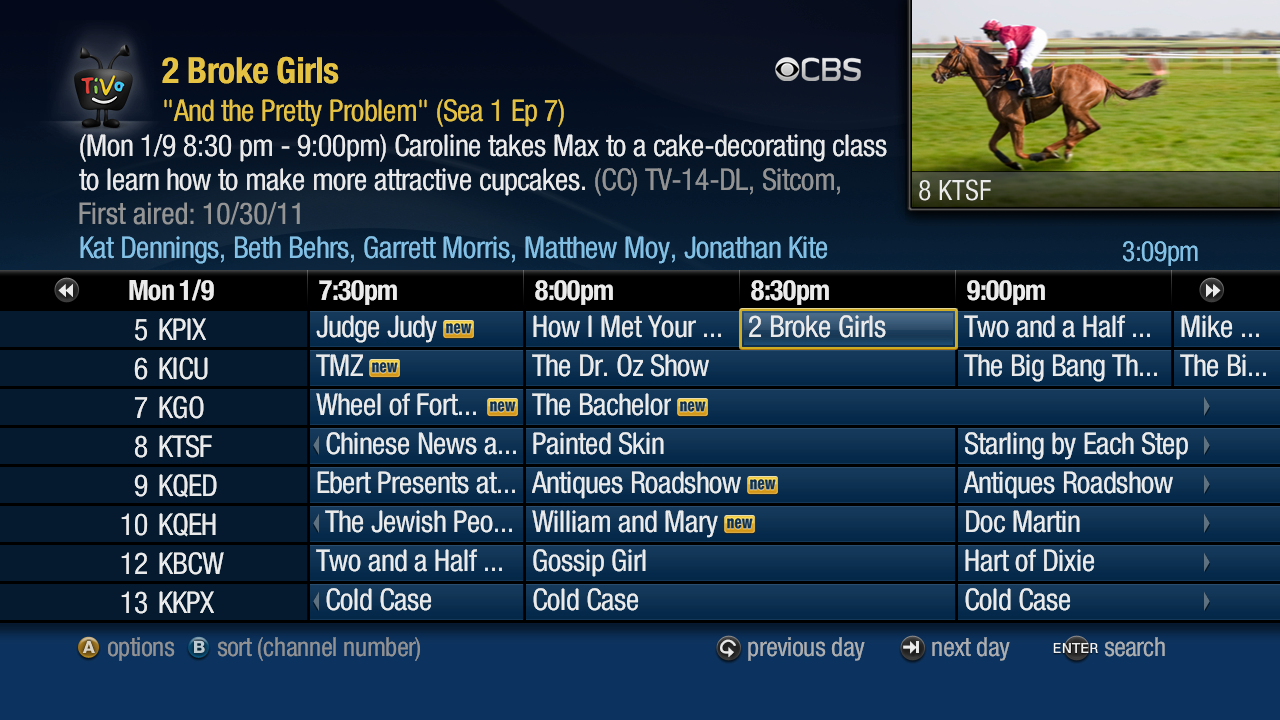
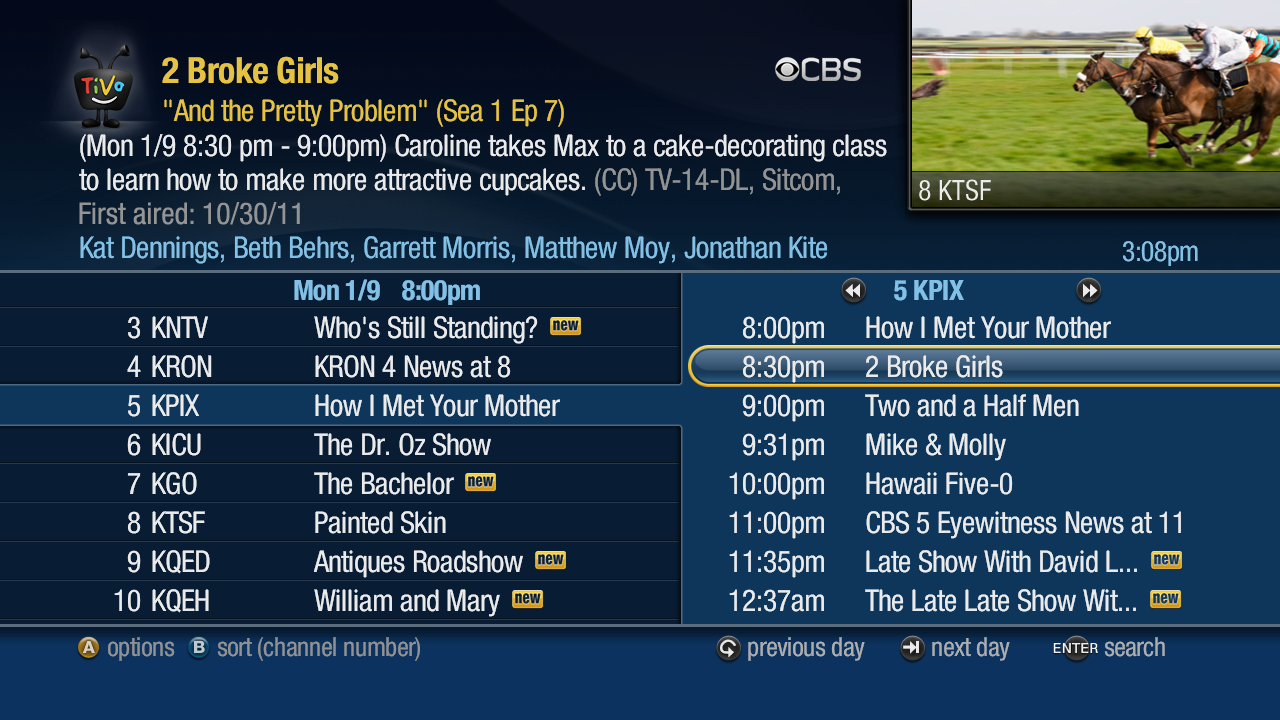
The Guide has changed in a major way. Instead of the TiVo Guide we’ve had, well, forever, it is now a fully HD Guide that occupies the entire screen with the current programming pushed up into a window in the upper right. No longer is it overlaid on top of the programming. I have to say it looks very good, and I really like this change. I hate the ‘Spoiler Window’ (thanks to Ben Drawbaugh for that name) in the TiVo menus, and it is the first thing I disable, but it is perfect for the guide called up while watching a program. You still have the choice of a TiVo or Grid guide style, and you can sort the listings by channel number or name.
Oh, but UI changes are not all TiVo has packed into this update – they’ve also enabled Multi-Room Streaming (MRS) between TiVo Premiere units. So if you have multiple TiVo Premiere units in your home you’ll be able to stream content between them once you receive the 20.2 update. And, unlike MRV (Multi-Room Viewing), streaming doesn’t create a copy, so you should be able to stream even copy protected content. Unfortunately, I only have the one Premiere unit, so I can’t test this myself.
In fact, TiVo emailed me a list of the features users can expect in 20.2:
- Multi-room streaming between two broadband-connected TiVo Premiere boxes within the home
- TiVo Guide updated in HD
- “Program info” updated in HD with a few new features such as access to a “mini guide” by pressing select during a live show
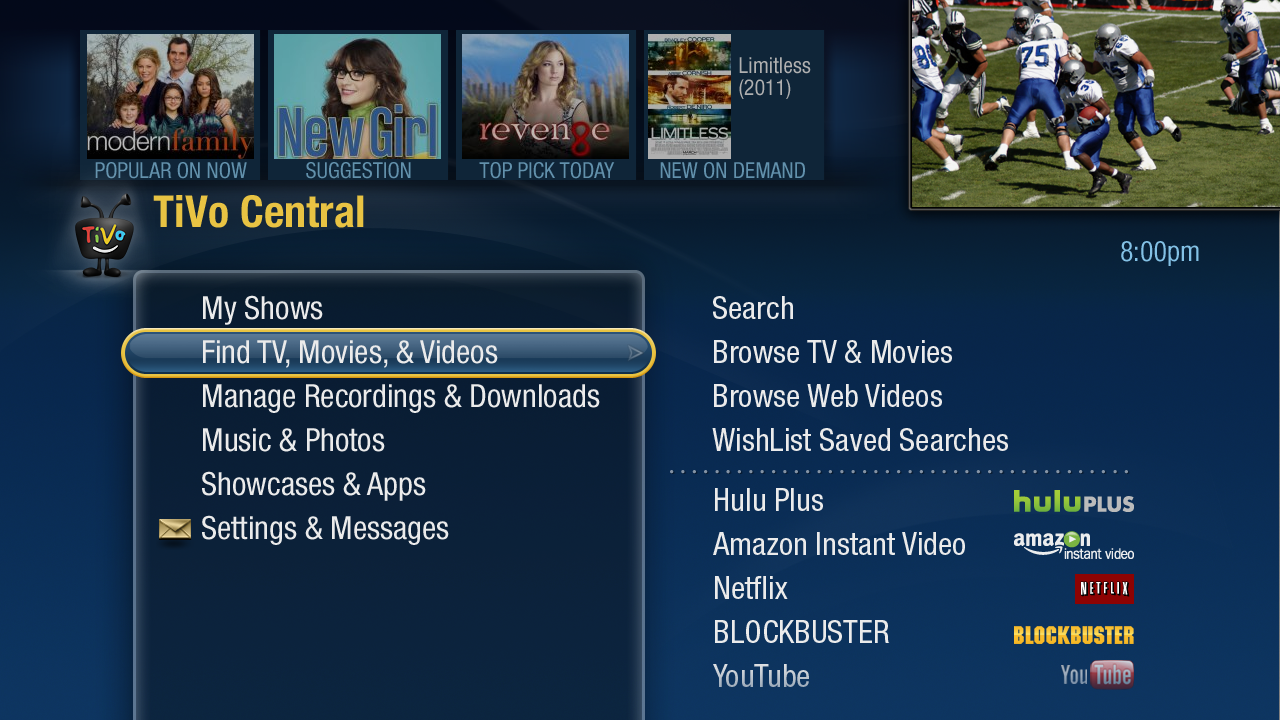
- Hulu Plus search integration
- Revamped discovery bar disclosing why the content is featured
- Clock insertion under the Live TV window
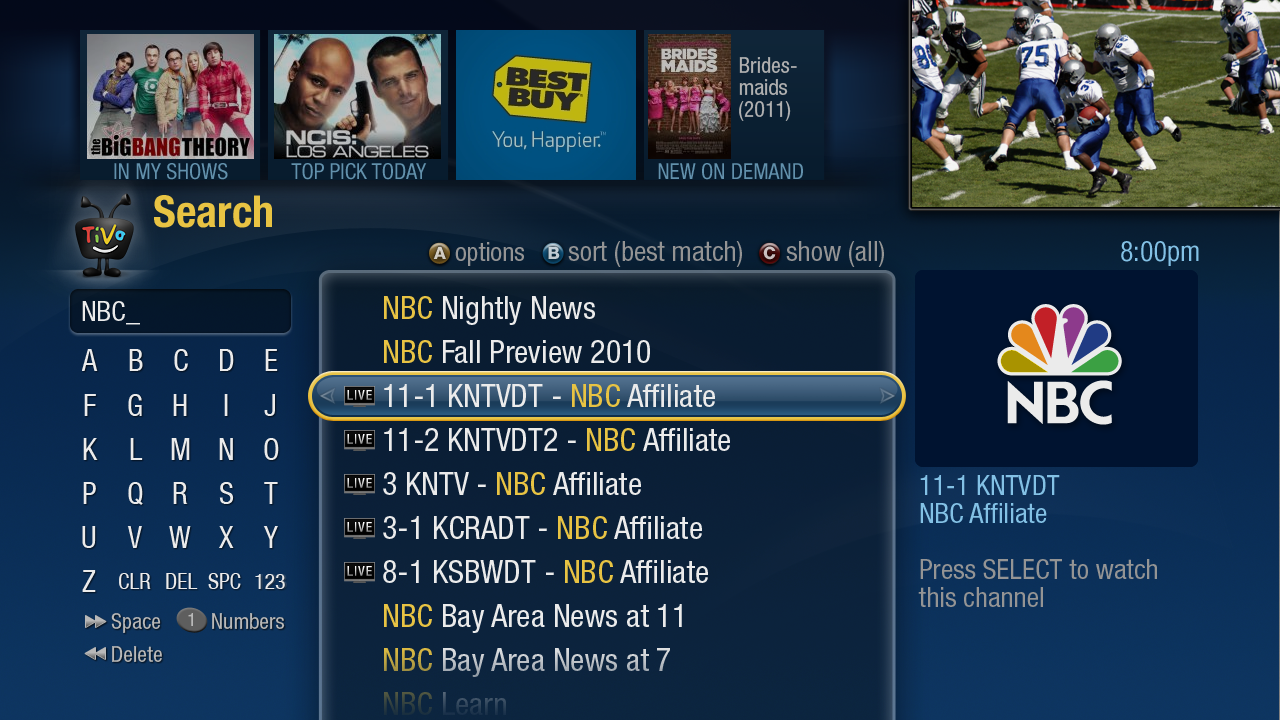
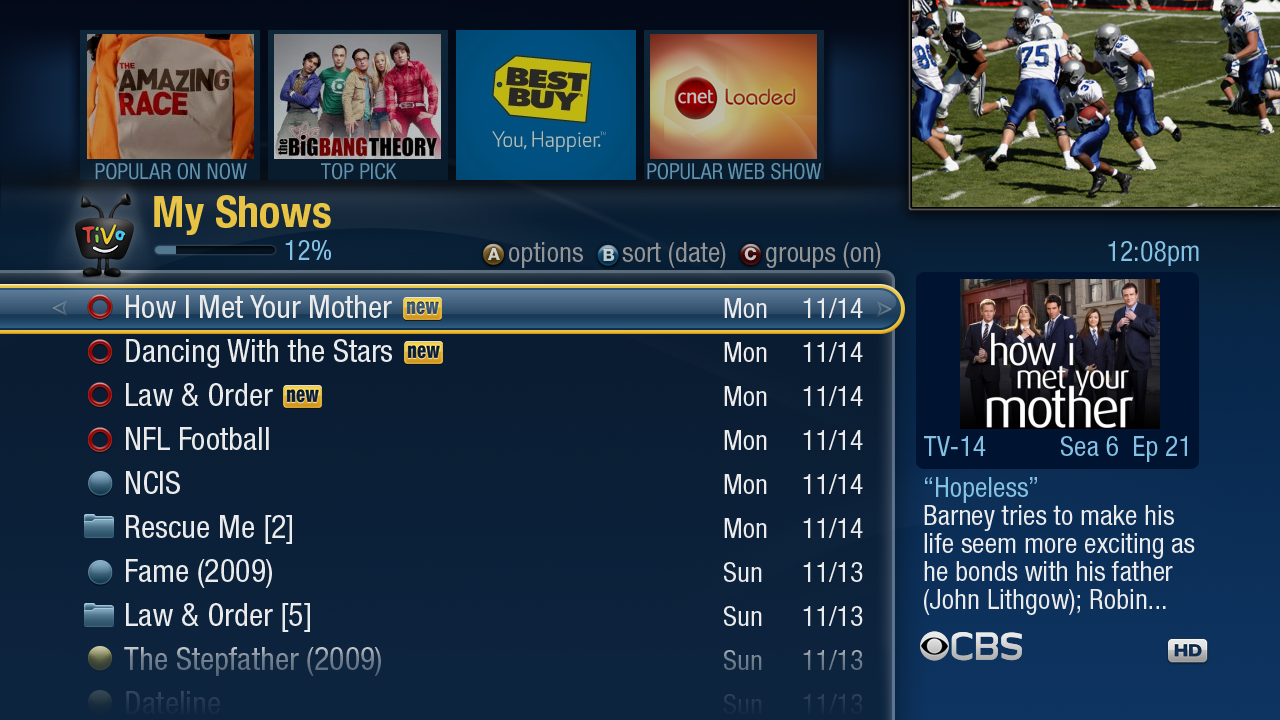
Hulu Plus search integration means that when you search for content it will now show you if that program is available from Hulu Plus, just as it has for TV, Netflix, Amazon, and Blockbuster in previous releases. The discovery bar now includes labels under each entry such as “Top Pick”, “In My Shows”, “Suggestion”, “Top Pick Today”, etc. The other thing I noticed is that the discovery bar now only contains six entries (four if you have the Spoiler Window enabled), all the same size. It is no longer scrollable left or right. What you see is what you get. The clock is a small time display in the upper right of the HD menu screens, which is a nice touch.
So how do you get your hands on the awesomeness? Well, you can wait patiently for your number to come up as TiVo gradually rolls it out. However, if you’re reading this blog I suspect your not the type who likes to wait patiently for the latest and greatest. In that case Margret offered this to her Twitter followers:
If you follow me on twitter and have a Premiere, email me your TiVo Service Number I’ll do my best to get you a priority update…
I’m not going to post her email address, I’m not evil. But it is easy enough to find for anyone who reads her Twitter feed.
Edit: Three more images were uploaded, I’ve added them here.
So far I’ve only found one downside to this update, and it is something that most users will probably never notice. But it is something that causes me pain deep in my heart. The on-screen clock and elapsed time indicator is unusable in HD now! *sobs* It is still there, but instead of being unobtrusively down in the lower-right corner of the screen, at a nicely readable size, if you enable this hidden feature now it appears almost dead center on the screen, and in a tiny font. If you switch to SD menus it is still as it has been, it is only when using the HD menus that this happens.
If you don’t know what I’m talking about, entering Select-Play-Select-9-Select has long turned on a clock and recording playback elapsed time indicator overlay. It has never been an official feature, just a nifty backdoor. I’ve been using it for many years and I already miss it. It just looks wrong not to have it there, and it has been my main (and only) clock in my living room for ages. I’m sure I’ll get used to the loss, and the improvements are worth it, but I’m still sad to see it go.


 The ASUS Eee Pad Transformer Prime is the hottest Android tablet out there right now. It is the first tablet with the quad-core NVIDIA Tegra 3 processor, and it looks like it may be the first tablet to officially receive Android 4.0 Ice Cream Sandwich. ASUS released a couple of videos featuring ICS on the Prime, and it looks very good. Mine is on back-order. I’d love to have it before I leave for my wedding and honeymoon, but it is looking unlikely at this point.